
Every problem you solve brings a better job closer.
Practise coding, aptitude and interview questions in one free app. Your readiness meter shows which jobs you’re ready for.
Free for students. Version v0.0.15 for Windows, macOS and Linux. Open source under GPL-3.0.
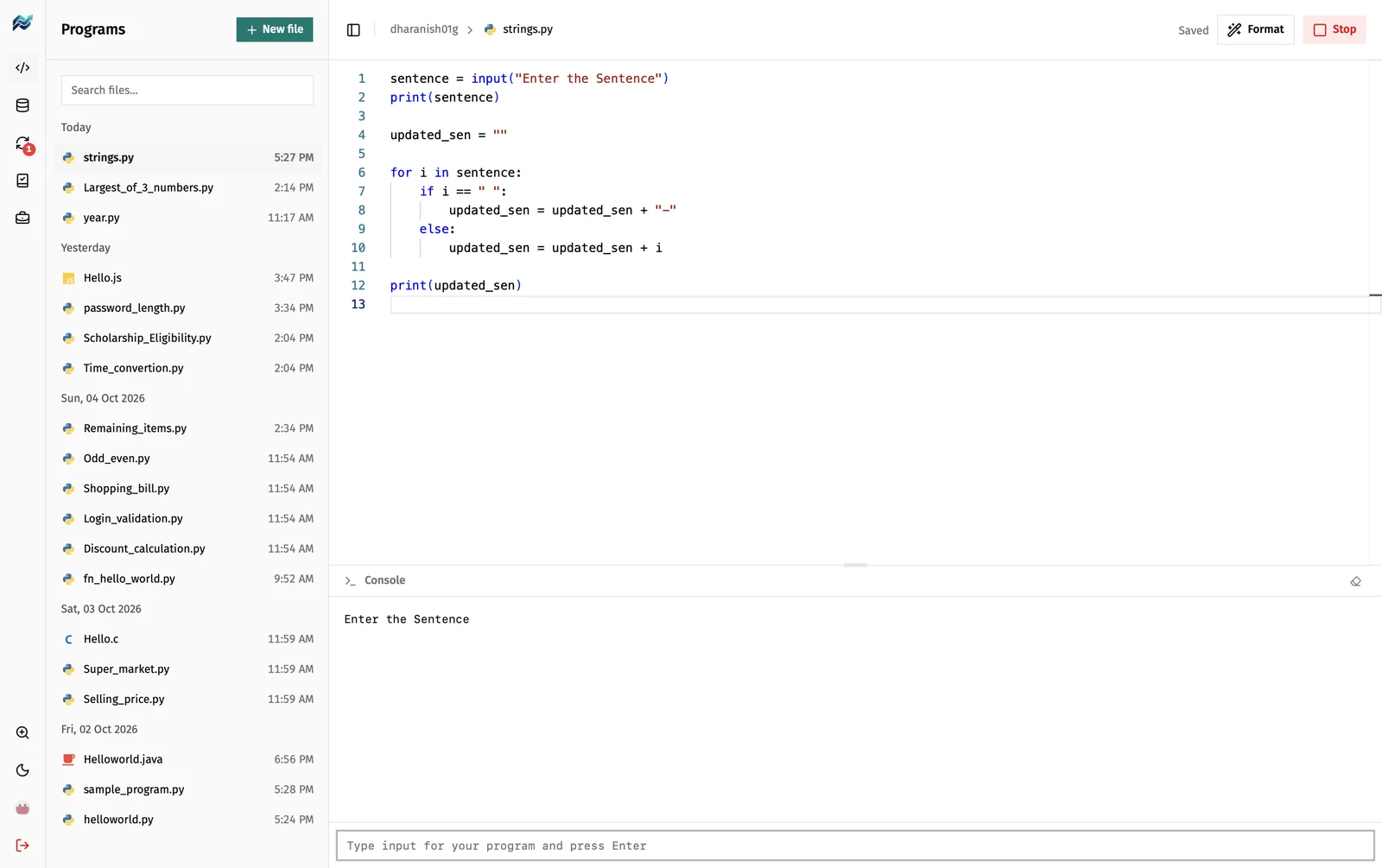
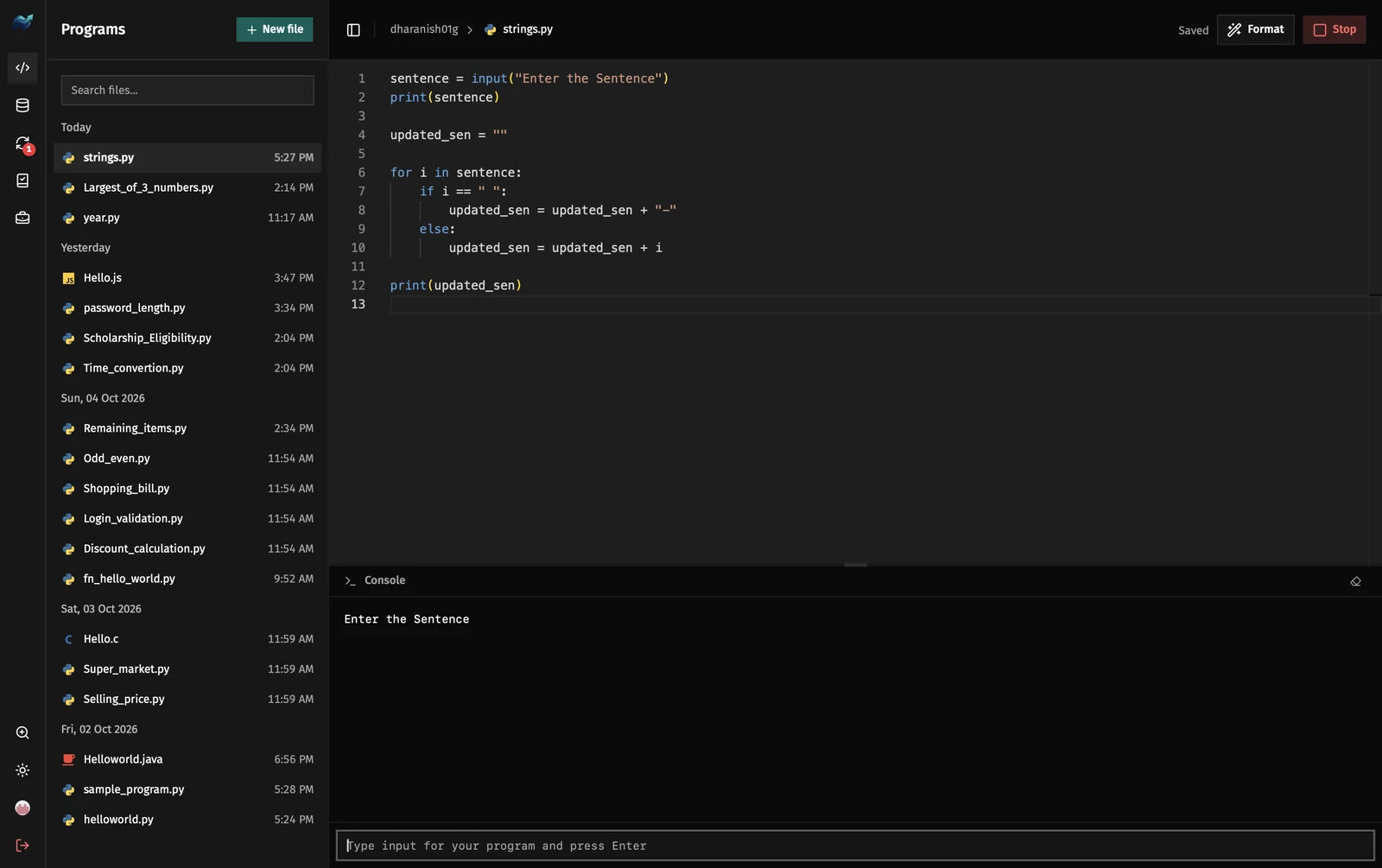
Why PrepCode
Built so recruiters can trust your skills, and so you can trust the app.
A portfolio recruiters can check
Sign in and every program you write syncs to a public prepcode-programs repository on your GitHub. Share the link and recruiters see your real code, with dates.
Proof it’s your own work
Copy and paste are off in the editor, so the code on your GitHub was typed by you, not pasted. It’s how placement tests work too.
Industry patterns, not just puzzles
Past interview questions, plus simulation tasks based on real engineering work: servers, databases and debugging.
Nothing to set up
Run eight languages in one click. No compilers, paths or plugins to install.
Never lose your work
PrepCode saves as you type, even offline, and keeps a history of every file.
Free and open
Free for students, open source under GPL-3.0, and it updates itself when you close the app.
Solve harder problems. Unlock better jobs.
Every practice question, aptitude question and past interview question you solve moves your readiness meter forward. The harder the problems, the better the jobs it shows you’re ready for.
Level 1 · Basics
Solve basic coding and aptitude questions
You’re ready for entry-level roles
Level 2 · Interview ready
Solve medium problems and past interview questions
You’re ready for product-company roles
Level 3 · Advanced
Solve hard, complex problems
You’re ready for premium roles
Free for students. The meter shows the jobs you’re ready for. It can’t promise you a job.
Learn. Practise. Get placed.
Everything from your first program to your job search, in one app.
1 · Programs and Database
Learn
Write and run Python, JavaScript, C, C++, Java, Go, C# and MySQL with nothing to install. Pick a language and press Run.
- Formats Python, JavaScript, C, C++, Java, Go and C# with one command
- Run MySQL and see each statement’s result
2 · Practice
Practise
Work through 500+ job-prep questions, one category at a time.
- Categories: aptitude, data structures, algorithms, SQL and past interview questions
- From basic problems to interview-level ones
- Simulation tasks based on real jobs
3 · Jobs
Get placed
Search 2,000+ job openings without leaving the app.
- See which jobs fit your readiness level
- Indian jobs grouped by engineering branch
- Listings from public job boards, refreshed daily
- Apply on the employer’s own page
Practise on real-world tasks, not just puzzles.
Simulation tasks put you in a real job situation. Take on the kind of work engineers do every day and solve it step by step, just like on the job.
Databases
Run Redis on port 6379
Start a Redis server, set its port and check that it answers.
Backend
Build an HTTP server
Handle real requests and send back the right responses.
Debugging
Fix a broken service
Find out why an app won’t start and get it running again.
SQL
Write a report query
Pull the numbers a manager asked for from a real database.
Example tasks. New simulations are added as PrepCode grows.
Download PrepCode
Pick the file for your computer. PrepCode updates itself: new versions install when you close the app.
macOS
Apple Silicon and Intel. PrepCode isn’t notarised by Apple yet, so this command installs it from our GitHub releases and lets it open. Paste it in Terminal:
curl -fsSL https://prepcode.dev/install.sh | bashLinux
Debian, Ubuntu, Fedora and more. Paste this command in a terminal:
curl -fsSL https://prepcode.dev/install.sh | bashLatest version: v0.0.15.
Questions
Is PrepCode free?
Yes. PrepCode is free for students, and it’s open source under GPL-3.0.
What is the readiness meter?
It shows which jobs your code has you ready for. As you solve practice questions, aptitude questions and past interview questions, the meter moves forward. Harder problems count for more and point you to better roles, from entry-level jobs to premium ones. It shows what you’re ready for, not a guarantee of a job.
Do I need an account?
No. Sign in with GitHub to save your progress and sync your programs, or continue as a guest. Guest files can be exported before you leave.
Does it work offline?
Programs save and open offline. Signing in, Sync, Practice and Jobs need an internet connection.
Why are copy and paste turned off?
So you type every line yourself, the way you will in many placement tests and lab exams. Copy, paste and right-click are off in the code editors, so what you practise sticks.
Is the Mac and Linux install command safe?
The command downloads PrepCode from our GitHub releases and installs it, nothing else. PrepCode isn’t notarised by Apple yet, so a plain .dmg download is blocked by macOS until you clear its download flag. The script does that one step for PrepCode only. It’s short and you can read it before you run it, or install from the .dmg yourself.
Which languages and computers does it support?
Today PrepCode runs Python, JavaScript, C, C++, Java, Go, C# and MySQL, with Rust and PHP planned next. It runs on Windows, macOS (Apple Silicon and Intel) and Linux (AppImage, .deb and .rpm).
Teacher or placement officer? Run batches, see your students’ code and track their progress.